
 College students are busy. They have classes and internships to attend, homework to do and a social life to maintain. It’s a wonder they can fit it all into a 24-hour day.
Luckily, technology can help. Here are nine smartphone apps for college students looking to take control of their time and be more productive.
Included are apps to organize your calendar, take control of your to do list, take notes in class and take a power nap without falling into REM sleep.
Interested in learning about new apps? Subscribe to my weekly email newsletter to learn what’s new in digital media and social media.
Organize your calendar with Sunrise

I’ve been searching for a better calendar app on my phone, and I found it with Sunrise. Sunrise is a beautifully designed calendar app that connects with all of your apps – from Google Calendar to Facebook. I like the fact that I can add my favorite sports teams’ calendars right to my calendar.
Sunrise works in your browser, on your desktop computer and on your phone.
Tackle your To Do list with Wunderlist
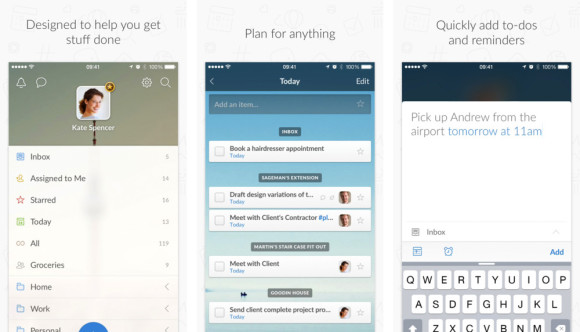
I’m very dependent on my to do list. It’s how I organize my life and how I get things done. I recently switched to Wunderlist because I needed a better solution on mobile, and I’m a huge fan.
I love that I can create multiple to do lists, and that I can access it anywhere – on my browser and via the free iPhone app.
Download Wunderlist for iPhone
Save things to read later with Pocket
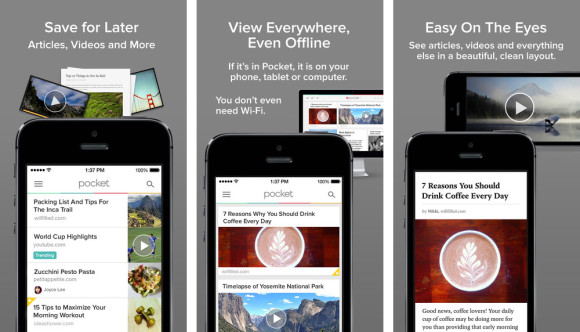
If you’re like me, you’re finding great things to read all over the place – except when you actually have time to read great things.
Solve that problem by installing the Pocket app. When you find something you like – on your phone or on your desktop – save it to Pocket. Then read it later through the Pocket app or the Pocket website.
Get into good habits with Momentum

Need to get to the gym more often? Trying to wake up early? Having trouble making it to class? Trying to reduce the amount of fast food you eat?
Momentum Habit Tracker is an app that challenges you to make something a habit. Then it tracks whether or not you did that thing each day. Set reminders so you don’t forget to do things on your lists every day.
Download Momentum Habit Tracker for iPhone
Get free audio books with Overdrive
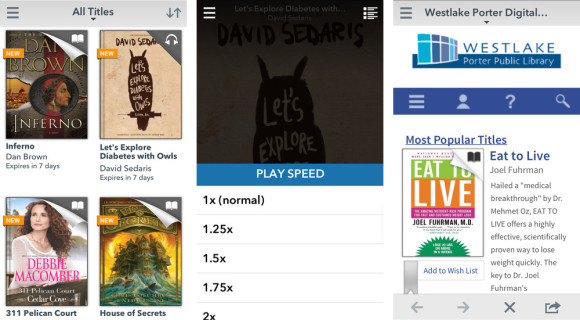
I seldom have time to read for pleasure. But I do have a 20-minute drive into work every day. Enter Overdrive.
Overdrive is an app that connects with your local library to let you download audio books (and ebooks) for free (you check them out for a set amount of time through your library). Now I spend my drive into and home from work listening to books instead of commercials on the radio.
Stay in shape with MyFitnessPal
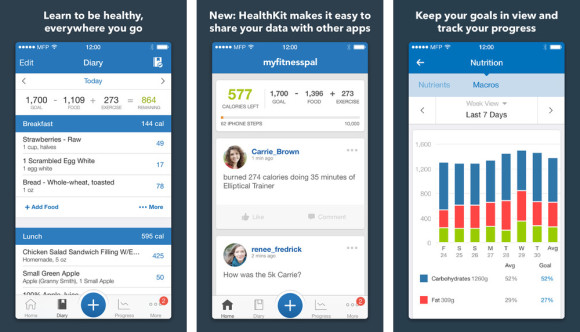
The Freshman 15 is real. Been there – gained that. I’ll blame the lack of smartphone apps back when I was a freshman. And $5 pizza.
I’ve used food diary apps in the past, and I honestly wasn’t impressed. But I gave MyFitnessPal another shot this year, and it really delivers. There are thousands upon thousands of foods already in the app, so adding your food is a breeze.
The app does a great job of showing you not only how many calories you consume, but also how you are doing balancing carbs, protein and fats. It also tells you exactly how much you can eat each day if you’re looking to lose weight, gain weight or stay the same.
Download MyFitnessPal for iPhone
Take a power nap with Sleep Cycle

Naps are an important part of any college student’s life. But nobody wants a nap to turn into a full night of sleep (remember that feeling when you wake up and aren’t sure if it’s still the same day or the next morning?).
Sleep Cycle Power Nap is a sleep app that wakes you up before you fall into deep sleep.
Download Sleep Cycle Power Nap for iPhone
Share your documents with Tiny Scanner

We used to have these things called flatbed scanners for sending documents to people. Now we just take a photo with the app Tiny Scanner and it automatically makes a PDF that we can send to someone.
What’s really cool about this app is that it identifies the sides of the paper and automatically crops it back to a square.
Download Tiny Scanner for iPhone
Take notes with Evernote
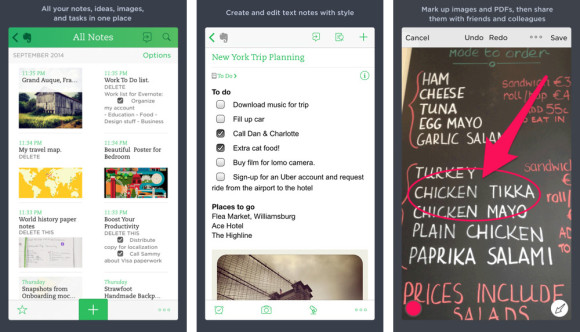
If you’ve gotta go to class, then you might as well take some notes. Evernote lets you easily access all of your notes on your computer or your phone.
Use Evernote to take notes, collect articles and photos and to write your papers. It’s a digital workspace to store all of your stuff.
=======
More smartphone apps for college students?
Are you a college student who uses apps to be more productive? I’d love to hear what apps you like to use. Please comment on this post or contact me via Twitter.