
It’s 2015. Do we even need cameras and computers anymore? When it comes to shooting and editing high-quality, sharable video, the answer is NO.
You can create some amazing videos with an iPhone and a few apps. Here are six iPhone video apps to take your video game to the next level.
FiLMic Pro

This is the app you should be recording video with.
The default iPhone camera app has nothing on FiLMic Pro. This app gives you many of the features of a professional camera – including the ability to monitor audio, do smooth zooms and have full manual control over focus, exposure, ISO, shutter speed, tint and color temperature.
I will warn you that this app has some incredible features, so don’t expect to just download it and go. You’re going to have to take the time to learn how to use all the features.
Cost: $9.99
Download FiLMic Pro
iMovie
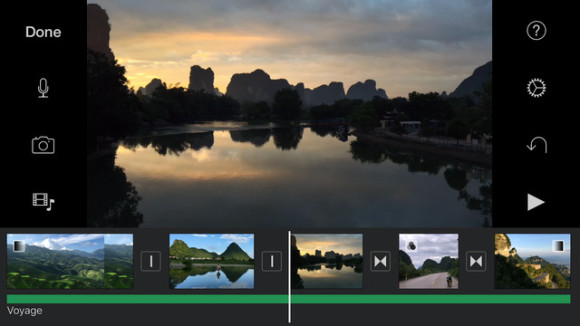
The iPhone app is packed full of features to make your videos look professional. You can add animated titles and soundtracks to any of your videos. The included themes let you style your videos with ease. You can also add voiceovers and cutaways.
Cost: $4.99
Download iMovie
Legend
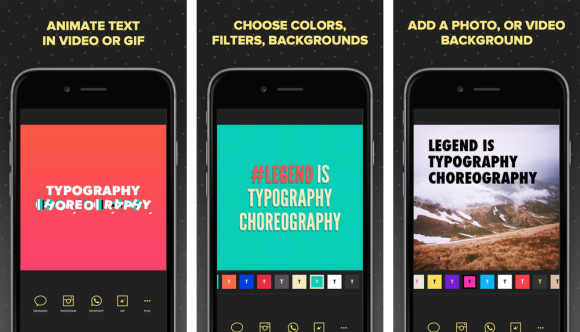
Legend lets you add animated text to your videos and photos. Or you can just make some animated text on a plain background directly from the app. It’s a great tool for creating “silent” Facebook videos – videos people will watch without bothering to turn on the sound.
Cost: $1.99
Download Legend
Clips
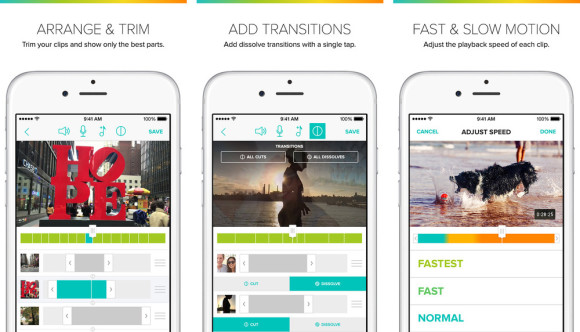
Clips allows you to quickly turn multiple video clips into one movie. You simple choose your clips, add some music from your music library, and then trim the clips to the desired length.
You can also add a voiceover, add transitions and change the shape of your video to square for Instagram. It’s a very quick way to get your clips off your phone and ready to share.
Cost: Free, but $4.99 to export without the watermark
Download Clips
Vimo
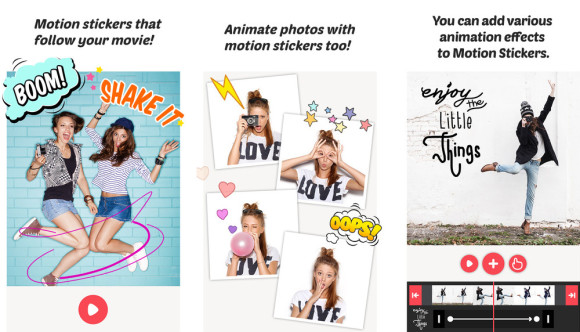
Vimo is just a fun app that allows you to add motion stickers and animations to your photos and videos. You’ll create some fun short videos to share on your social media accounts.
Cost: Free with in-app purchased
Download Vimo
Storyo
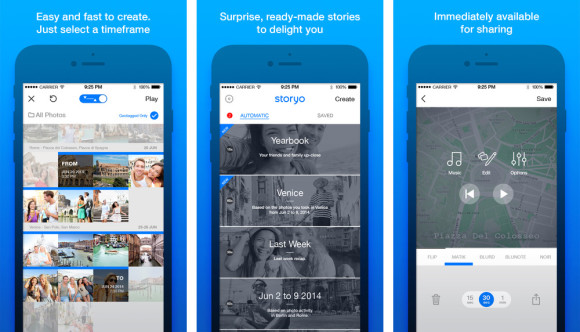
Storyo allows you to take your photos and turn them into a video slideshow that can be shared on social media. Simply choose the photos you want to use, choose a theme and let Storyo do the rest.
Cost: Free
Download Storyo
Want to learn more about iPhone video apps?
I’m teaching a video workshop Oct. 20, 2015 in Des Moines. Get more information here.
For more great info on what’s new in digital marketing, sign up for my email newsletter.